This step-by-step guide walks you through the login process for accessing your Paxform Publisher account, including email verification and OTP entry.
Step 1: Sign In
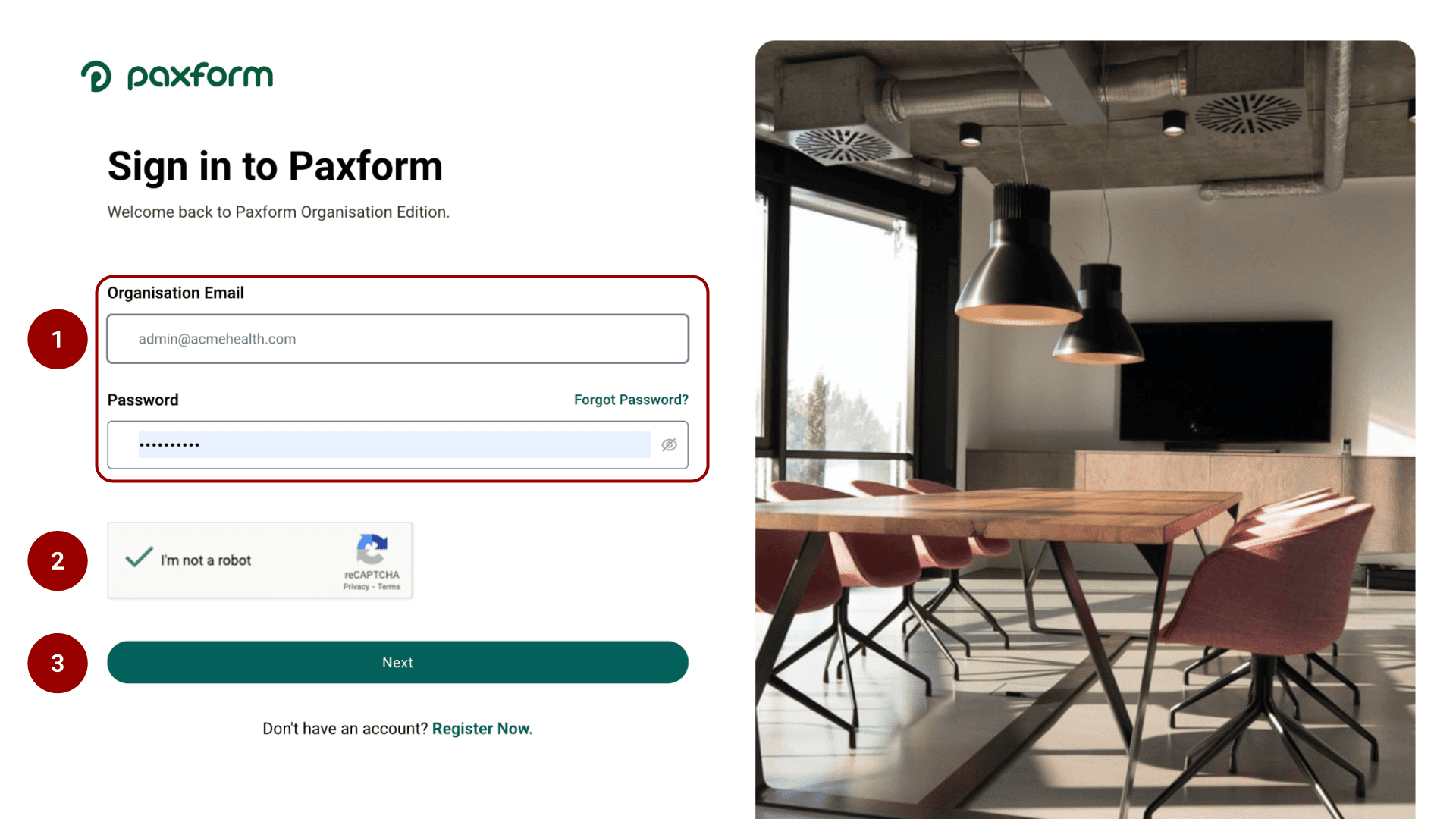
Go to the Paxform Sign In page (e.g., yourdomain.paxform.com). Enter your Organisation Email (e.g., your.email@yourorganisation.com) and Password.
Complete the "I'm not a robot" reCAPTCHA verification.
Click Next.
Step 2: Verify OTP
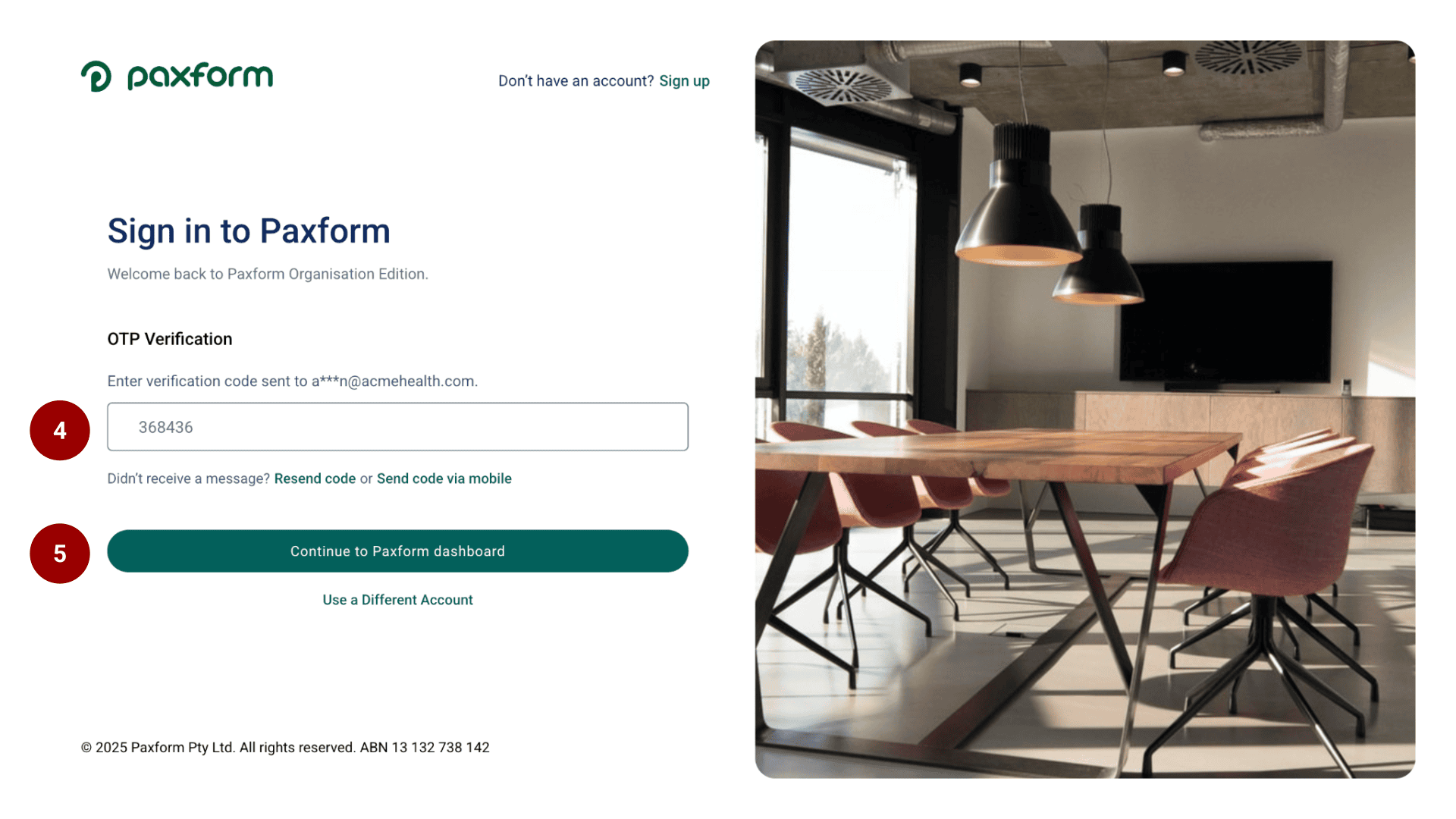
After clicking Next, you’ll be taken to the OTP Verification screen. Enter the 6-digit verification code in the provided field.
Click Continue to access your Paxform dashboard.